Albania
 Argentina
 Australia
 Austria
 Belgium
 Bosnia and Herzegovina
 Brazil
 Bulgaria
 Canada
 Chile
Chile
 Colombia
 Croatia
 Czech Republic
 Denmark
 Estonia
 Finland
 France
 Germany
 Greece
 Hungary
 Ireland
 Italy
Italy
 Latvia
 Lithuania
 Luxembourg
 Mexico
 Moldova
 Montenegro
 Netherlands
 New Zealand
 North Macedonia
 Norway
 Philippines
 Poland
 Portugal
 Romania
 Serbia
 Slovakia
 Slovenia
 South Africa
 Spain
Spain
 Sweden
 Switzerland
 Turkey
 Ukraine
 United Kingdom
 United States of America







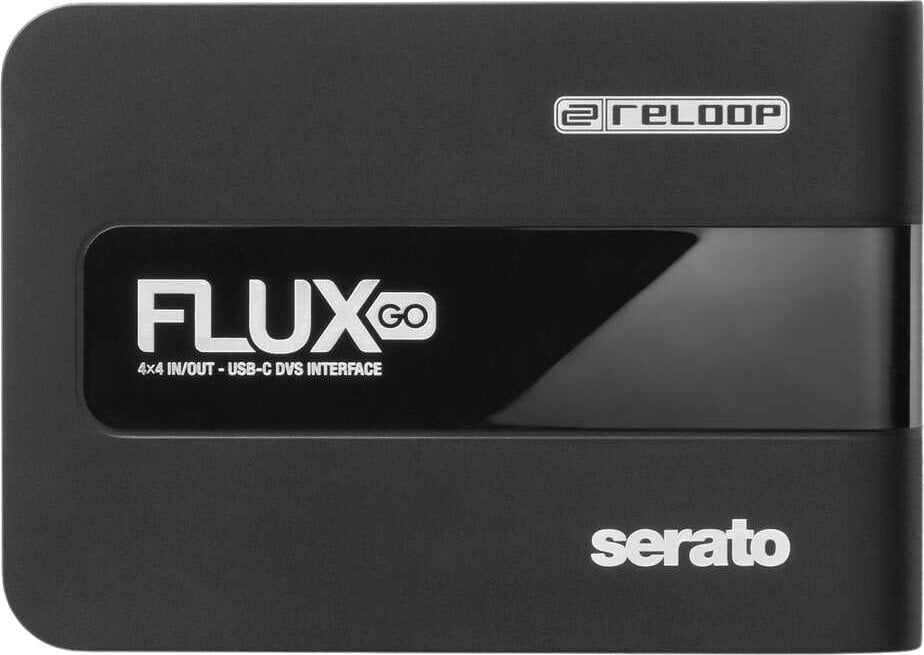
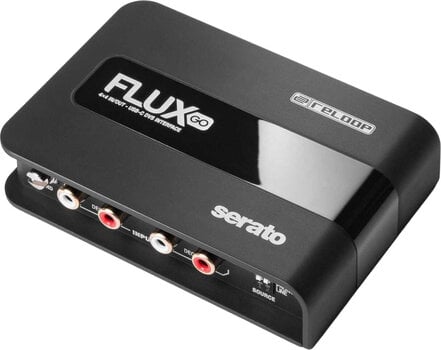
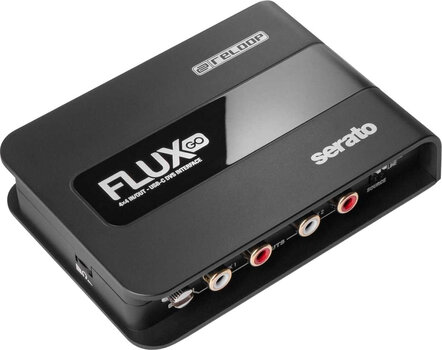
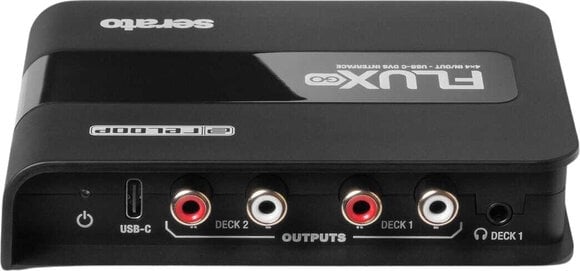
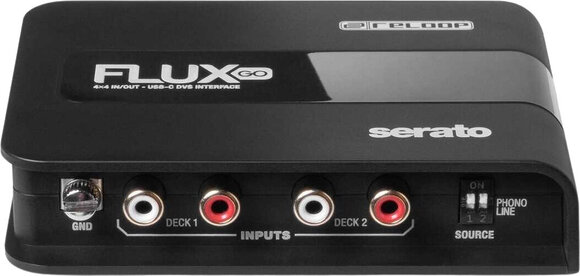
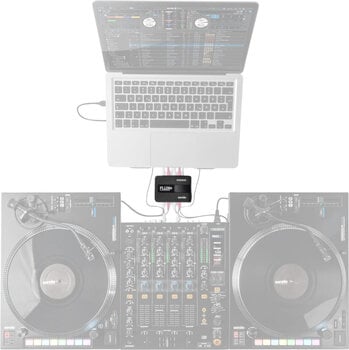
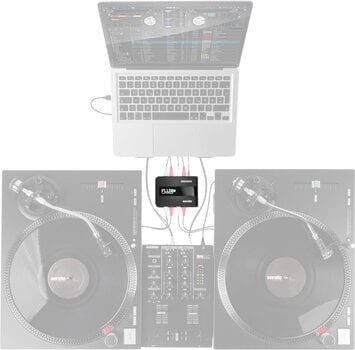
- Number of Channels: 2
- Sample Rate: 44.1 kHz, 48 kHz, 96 kHz
- Bit Depth: 24 bit
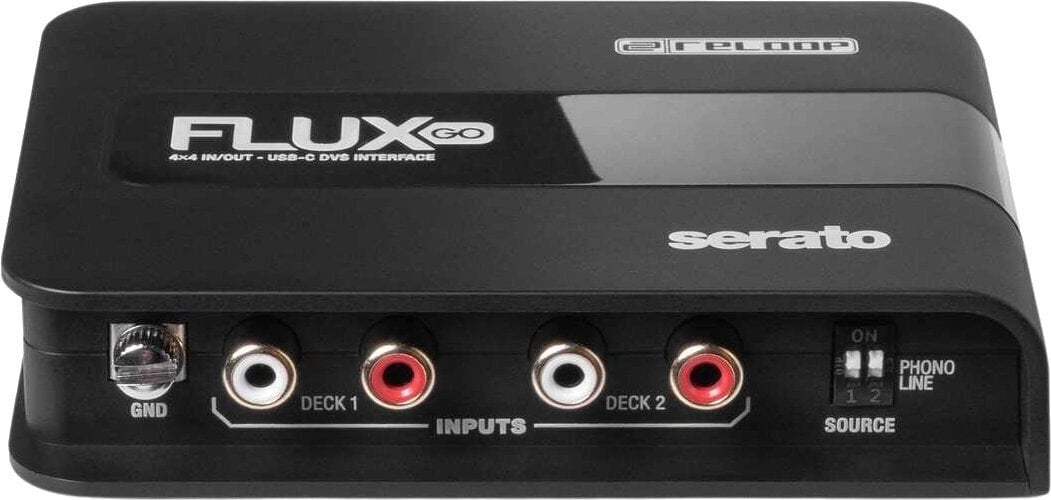
- Inputs: Stereo RCA
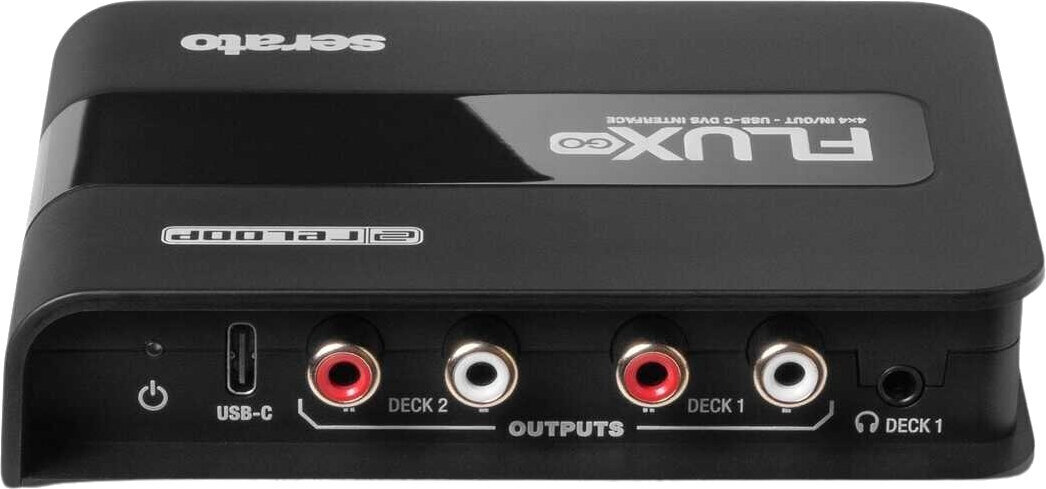
- Outputs: Headphone Jack 3,5 mm, Stereo RCA
Reloop Flux Go USB Audio Interface
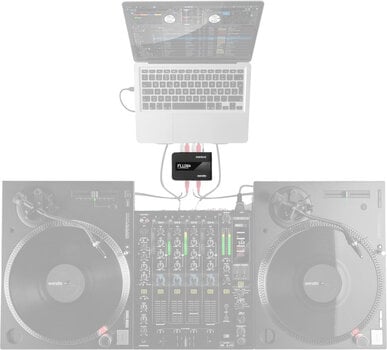
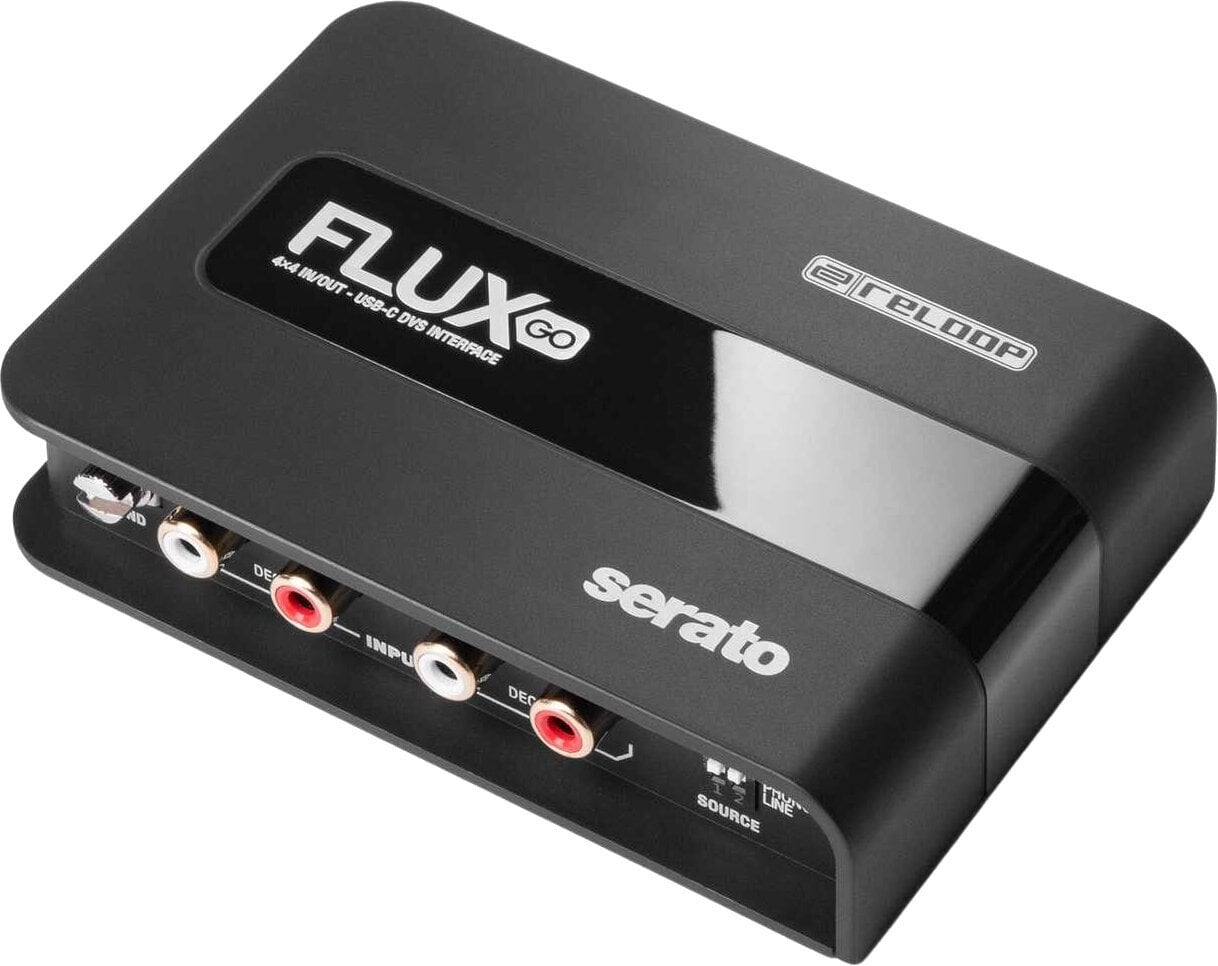
The Reloop Flux Go is an ultra-compact DVS interface for Serato DJ Pro. This smaller sibling of the acclaimed Serato DJ audio interface impresses with its portability and outstanding features.
Less is more
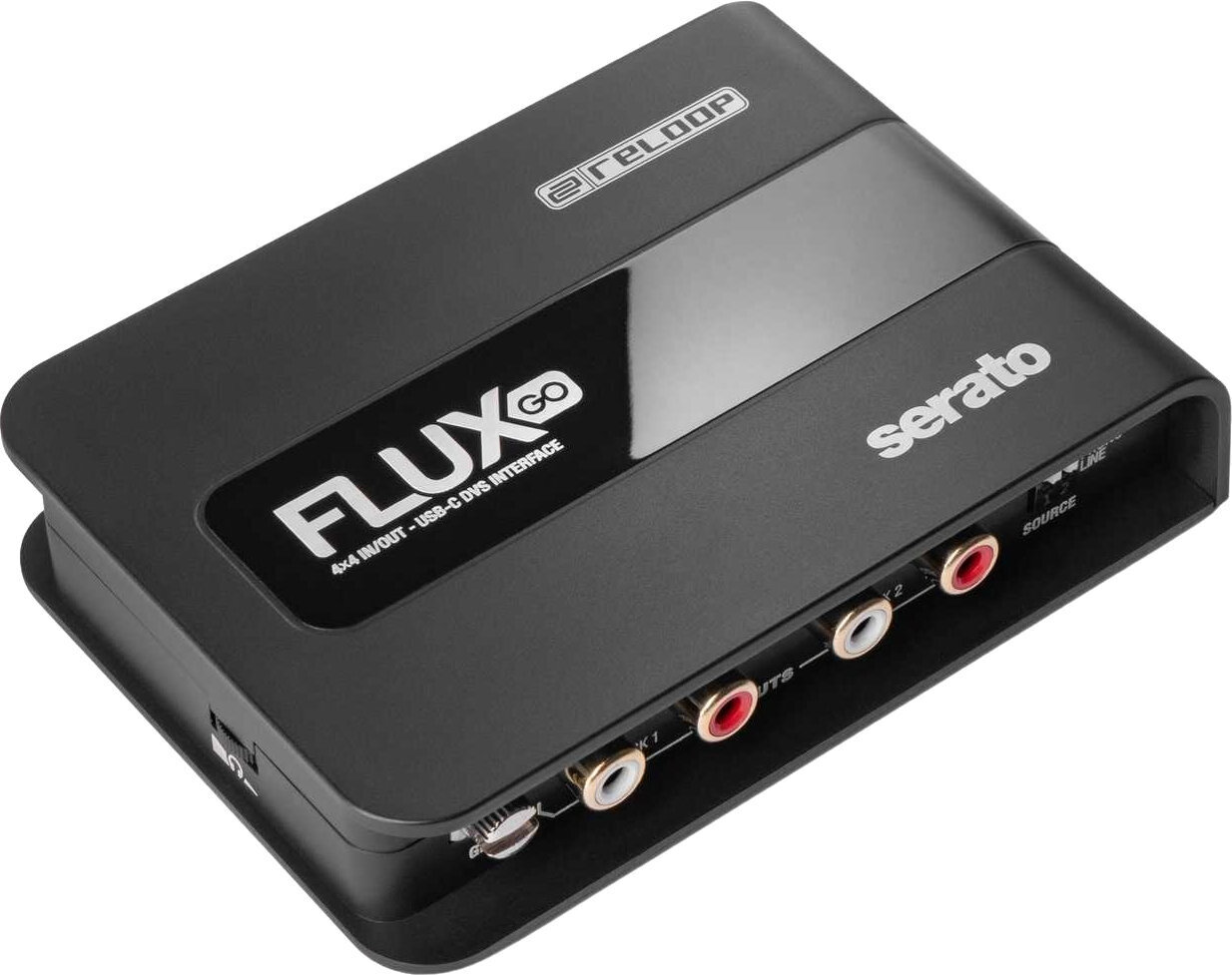
With dual stereo inputs and outputs, a bus-powered USB-C cable for power and audio transmission, and a ground connection for turntables, the Flux Go provides DJs with everything they need for a professional DVS setup.
Serato DJ Pro included
The Reloop Flux Go is an excellent value cross-platform DVS interface, catering to both professional and amateur DJs who demand the best from their equipment. It automatically unlocks the full versions of Serato DJ Pro and Serato DVS, ensuring peak performance and maximising the capabilities of the DJ software. The interface runs on a Plug 'n' Play basis with USB-C devices and is class-compliant with macOS. ASIO drivers available for Windows provide almost latency-free performance. Ultra-low latency and a user-friendly design ensure smooth transitions before and during DJ sets.
Stream Millions of Tracks
With Serato DJ, an entire world of music comes together seamlessly, combining favorite songs and millions of tracks from Spotify, Apple Music, TIDAL, SoundCloud, Beatport, and Beatsource in one powerful media library.
Maximum flexibility, minimum effort
Flexibility is the key to success in professional DJing. That's why the Reloop Flux Go is designed to handle a wide variety of setups and workflows. Its audio inputs can be individually switched between phono and line via DIP switches, allowing it to be used with turntables, CD players and other media players. The Reloop Flux Go can convert any DJ mixer into a full DVS setup with minimal technical effort.
Durable, travel-ready, and compact
The interface features a lightweight but durable housing that ensures a long-term reliability, even with heavy use. The extended edge design means the connections are also well-protected. Its compact dimensions and lightweight build make the Reloop Flux Go the perfect DVS interface for use on the go or in confined spaces, or simply as an affordable backup solution that supports Serato DJ Pro Plug 'n' Play capability.
Not just for DJs
The Reloop Flux Go goes beyond the standard DJ interface experience. With its crystal-clear 24-bit/96 kHz high-quality D/A converters, not to mention the adjustable headphone output, it can also be used as a practical studio sound card. Of course, the Flux Go also works flawlessly with all popular digital audio workstations.
Number of Channels: 2
This product has two channels, giving you the flexibility to connect two audio sources at once. This configuration allows you to combine different instruments and effects, enriching your sonic expression and giving you more variability.
Sample Rate
- 44.1 kHz
- 48 kHz
- 96 kHz
Bit Depth: 24 bit
The 24-bit depth provides significantly more dynamic range and detail than standard 16-bit recording. With 24-bit depth, you can capture finer details and wider dynamic range, perfect for professional recording, mastering, and applications where accuracy and sound quality are critical.
Outputs
- Headphone Jack 3,5 mm
- Stereo RCA
Headphone Output: Yes
The headphone output allows direct connection of headphones for private listening. This output provides a convenient way to enjoy the sound without disturbing others or ambient noise.
Package Contents
- Manual
- Serato DJ Pro
- USB-C to USB-C Cable

Number of Channels
Phantom Power
Word Clock
ADAT
Interface
LAN
MIDI Interface
Software
Number of Input Ports
Number of Outputs
3
Bit Depth
24 bit
USB version
2
AES/EBU
MADI
Rackmountable
S/PDIF
USB
Yes
Ethernet
Analogue Inputs
Inputs
Outputs
Analogue Outputs
Headphone Output
Optical Out
No
Package Contents
USB-C to USB-C Cable, Manual, Serato DJ Pro
UK/EU Power supply included
No
Length (cm)
8,2
Width (cm)
11,5
Height (cm)
2,6
Weight
168 g
Weight (g)
168
Made in
China


Documents
Instructions for use
Safety instructions
Please refer to the user manual for the specific safety instructions for this product.