 Albania
 Argentina
 Australia
 Austria
 Belgium
 Bosnia and Herzegovina
 Brazil
 Bulgaria
 Canada
 Chile
Chile
 Colombia
 Croatia
 Czech Republic
 Denmark
 Estonia
 Finland
 France
 Germany
 Greece
 Hungary
 Ireland
 Italy
Italy
 Latvia
 Lithuania
 Luxembourg
 Mexico
 Moldova
 Montenegro
 Netherlands
 New Zealand
 North Macedonia
 Norway
 Philippines
 Poland
 Portugal
 Romania
 Serbia
 Slovakia
 Slovenia
 South Africa
 Spain
Spain
 Sweden
 Switzerland
 Turkey
 Ukraine
 United Kingdom
 United States of America



×
Translation missing. Options considered were:
- en.public.user_set_items.show.unsaleable
- en.public.user_set_items.unsaleable
67 €
109 €
- 39 %
Available for download
Will be shipped out in electronic format

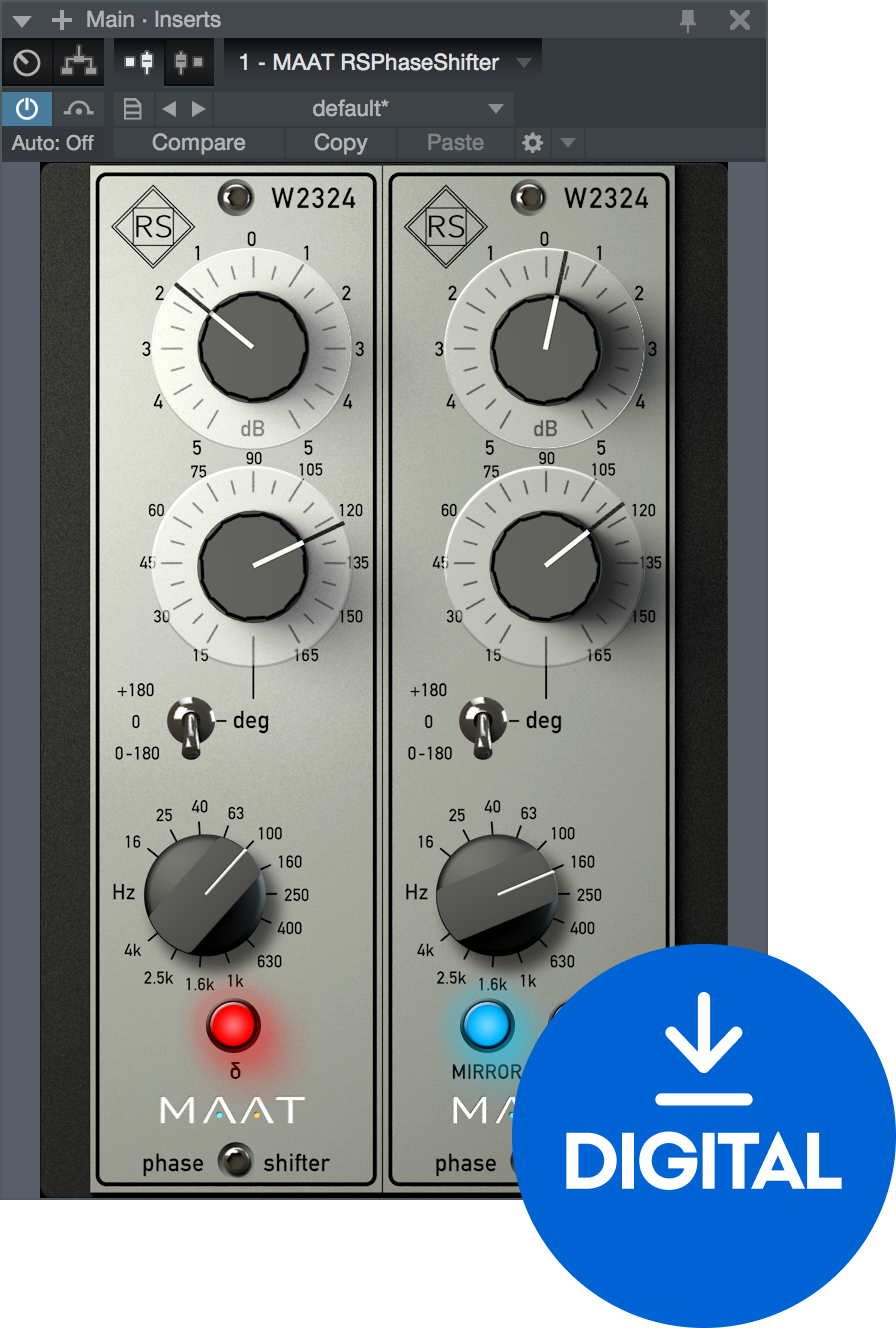
Great Sounding Alignment, Made EasyThe only official digital implementation of Roger Schult/German Audio Lab’s Phase Shifter W2324 pure analogue hardware.Analogue Soul, Digital HeartCreating a very high fidelity, phase shifted version of the input, RSPhaseShifter provides a fast, convenient and musical means of aligning individual mix elements for…
- License duration: Perpetual
- Тype: Phase Shifter
- System requirements: Mac OSX 10.9 <, Windows 7 <
- Supported plug-in formats: AAX, AU, Standalone, VST2, VST3

MAAT RSPhaseShifter (Digital product)
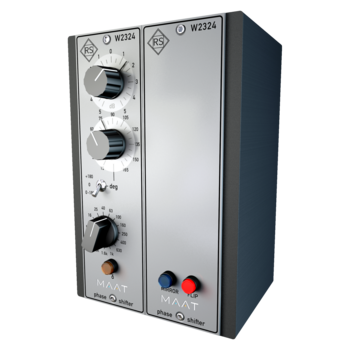
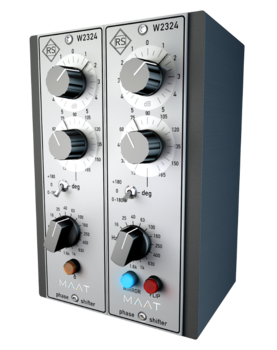
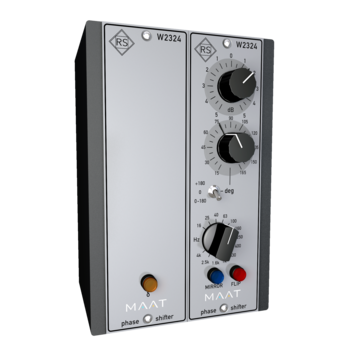
Great Sounding Alignment, Made EasyThe only official digital implementation of Roger Schult/German Audio Lab’s Phase Shifter W2324 pure analogue hardware.Analogue Soul, Digital HeartCreating a very high fidelity, phase shifted version of the input, RSPhaseShifter provides a fast, convenient and musical means of aligning individual mix elements for the best subjective result. RSPhaseShifter is great for any situation where you need to creatively control tonality, power spectrum and harmonic content through phase manipulation. Post–production, stem mastering, outboard gear compensation, film re-recording, “live” production, sound reinforcement, along with content creation for gaming and VR all benefit from having RSPhaseShifter on hand.Old Skool ValuesRSPhaseShifter was created in conjunction with Roger Schult/German Audio Lab and is a painstaking, 64-bit digital realization of Schult’s trusted Phase Shifter W2324 analogue hardware. When multiple sources compete rather than complement, RSPhaseShifter should be your choice for a fast, intuitive, easy to use and effective remedy.Better By DesignAs with all Roger Schult by MAAT products, the RSPhaseShifter is handcrafted and precision engineered in California by way of Germany. This is an explicit digital recreation of the analogue W2324 topology, not a modelling or simulation algorithm. We copied the functionality of the original hardware without analogue’s shortcomings. This tool´s value is more about what it does technically, so we left out stuff like fake transformer colour, hum or Johnson Noise. There are lots of colourful plugins, we simply provide convenient access to the useful functionality along with a classic API Lunchbox look.FeaturesThe original W2324 analogue degree scale is highly non–linear, due to issues with analogue circuitry. The original also has ten tick marks, from 10 to 125°. Freed from the limitations of an analog implementation, we have moved to a true, linear scale and extended the range slightly, something only possible in the digital domain. RSPhaseShifter’s eleven tick marks, in 15° steps, start at 15 and go to 180°; 15; 30; 45; 60; 75; 90; 105; 120; 135; 150; 180°.Real-time adjustment of phase angle, resonant frequency, gainMIRROR and FLIP modes speed stereo setting selectionδ (DELTA) mode for modifying stereo spread in an MS workflowAll standard formats: AU, VST & AAX Mac/WinOptimized internal 64-bit processing for highest fidelityOperates at all standard sample rates, from 44.1 to 384 kHzCompatible with standard OSs; macOS, WindowsLow fatigue visual designCompact layoutFunctions:Filter gain range of -5 to + 5 dB via 41 position stepped controlContinuously adjustable phase angle between 15° and 180°3 position switch to extend phase angle from 180° to 360°Bypass position for quick and easy comparison with the uncorrected signalStepped or continuous rotary control to select frequency range from 16 to 4 kHzControls:RangeThis three position switch is used to select the range of the phase shifter.Top Position: +180° (180 - 360°)Centre Position: BypassBottom Position: 0 - 180°The centre Phase Position, the “0” setting or Bypass mode, provides a means to compare the effect of the selected phase shift with the unprocessed, original phase of the source material.FrequencyThe phase shift is dependent on the selected frequency setting. The Frequency control is either stepped for repeatability or continuous; your choice. Resonant frequency selection is managed by a 13 step ELMA–style control with the following frequencies:16 Hz - 400 Hz25 Hz - 630 Hz40 Hz - 1000 Hz63 Hz - 1600 Hz100 Hz - 2500 Hz160 Hz - 4 kHz250 HzAdditional controls include a ±5 dB of gain refinement plus MIRROR, FLIP and δ (DELTA) modes for use during stereo operation.What’s Your Headache?For most applications, it makes sense to use RSPhaseShifter on just one channel, rather than on both stereo channels. A common example would be when a stereo pair of ambiance mics suffer from slightly different distances to a localized source. Additional uses include:1: You have a DI’d bass track which sounds dry and lifeless. You drop that track into a project so you can re-amp it, and dial up a great re-amped sound. When you try to blend the DI track with the re-amped track, it sounds…awful! Just grab RSPhaseShifter, insert it into the DI’d track, and start off with a low-frequency setting. Sweep the phase angle control and fine-tune the frequency and…Bang! Suddenly, it sounds awesome.2: Another scenario would be you have a set of two distorted guitar tracks recorded with different guitars or amps but playing the same riff. They sound nasty because both are modeling–based guitar amp simulations. Just insert the stereo version of the RSPhaseShifter into one of those pairs of tracks and play around in Mirror mode, so that both sides of your processing track are ganged. Within seconds, you will find a sweet spot where both guitars blend perfectly because by sweeping through the phase angle control, you’re applying very complex comb filters which you could not create with other EQ.3: A common situation is you have closely spaced, multi–mic’ed sources, like a snare with top and bottom mics, some instrument with two mics, or an acoustic guitar with a mic and a piezo pickup. Just play around with the RSPhaseShifter on one of the feeds, preferably the one which is closest to the source, such as a piezo feed, and find the sweet spot by feel.4: Yet another would be you’ve made a great acoustic stereo recording and have used supporting microphones, such as room, spot or far hall placements. To meld these into your main stereo pair, take your mains as the phase reference, and align one supporting mic after the other with the mains. This is easiest if your supporting sources are panned centre and approximately the same level during phase alignment. Afterwards, you can set gain and panning back to taste.5: Acoustical issues are often an annoyance at low frequencies…Reduce the influence of standing waves, or room modes, for a loudspeaker setup in conjunction with one or more subwoofers.Reduce the acoustical energy caused by low-frequency cancellation in live sound applications.Acoustically optimize the sound field in studio and live sound environments.Features and Specifications:Analogue-Style Phase ShiftingMono & Stereo Operation64-bit DSPSupported Formats:AAX (Pro Tools 10.3.10 and newer), AU, VST2/3 M/WSample rates from 44.1 to 384 kHzSystem RequirementsMac:macOS 10.9 and newer, Universal Binary 2, 64 bit onlyPC:Windows 7 and newer, 32 & 64 bit.
Further description in your language is not available yet.
The description in English might help.
Additional Info
The full version is software that does not require ownership of any other product or previous version. It is intended for new users who do not yet own the software. The range of features depends on the specific version and product. After purchase, you will receive a license for full use of the software.

License duration
Info
Download
Suitability
Тype
Properties
License
System requirements
Windows 7 <, Mac OSX 10.9 <
Hardware Requirements
1 GB RAM, 2 GB RAM
Country
Made in
Germany
Documents
Safety instructions
Please refer to the user manual for the specific safety instructions for this product.


