Albania
 Argentina
 Australia
 Austria
 Belgium
 Bosnia and Herzegovina
 Brazil
 Bulgaria
 Canada
 Chile
Chile
 Colombia
 Croatia
 Czech Republic
 Denmark
 Estonia
 Finland
 France
 Germany
 Greece
 Hungary
 Ireland
 Italy
Italy
 Latvia
 Lithuania
 Luxembourg
 Mexico
 Moldova
 Montenegro
 Netherlands
 New Zealand
 North Macedonia
 Norway
 Philippines
 Poland
 Portugal
 Romania
 Serbia
 Slovakia
 Slovenia
 South Africa
 Spain
Spain
 Sweden
 Switzerland
 Turkey
 Ukraine
 United Kingdom
 United States of America



Furniture for Hi-Fi
Hi-Fi furniture helps you arrange an amplifier, players, network equipment and accessories so that they remain accessible during everyday use. When choosing, do not focus on appearance alone, but mainly on the dimensions and weight of the components, their ventilation requirements and cable routing. It is also important to check whether you can reach the connectors without pulling out the entire system. The right type of furniture depends on the specific equipment, the available space and how you use the system.
Hi-Fi furniture and component arrangement
First, plan which devices will be placed in the furniture and which require a separate shelf. An amplifier, receiver, player, converter, streamer or power accessories may have different dimensions and heat dissipation requirements. Do not stack components merely to fit them into a single compartment; this may obstruct ventilation openings, make controls harder to reach or transfer vibrations between devices.
Arrange the shelves according to weight and frequency of use. It is usually practical to place heavier devices lower down, provided that the furniture's construction and load capacity allow it. Components you use frequently should remain at a comfortable height, and their displays or controls should not be obscured by doors, edges or other devices. If you are still putting your system together, you can find an overview of the available solutions in the Hi-Fi systems category.
Ventilation and space around equipment
Electronics can generate heat during operation, so air must be able to circulate around the device and escape from the furniture. Do not estimate the required clearance: follow the manual for the specific component and check the position of its ventilation openings. Some devices dissipate heat mainly through the top, while others use side or rear vents. A shelf, rear panel or another component must not block them.
With a more enclosed cabinet, check where cooler air enters and where warm air can escape. A cable opening alone may not provide sufficient airflow. Take the doors into account as well: conditions with the doors closed may differ from those in an open cabinet. If the equipment manufacturer specifies clearances or prohibits operation in an enclosed space, follow those instructions.
Dimensions, load capacity and stability
Compare the internal width, height and depth of the compartment with the device's overall dimensions. Add the space required for connectors, cable bends and any antennas to the depth. Front controls, protruding feet or connectors may mean that the cabinet dimensions alone are not enough. Also check whether the device will fit through the opening between the frame, hinges or doors; the internal space may be larger than the entry opening.
Check the load capacity of each shelf as well as the entire piece of furniture. Add up the weight of all devices that will stand on one level and include accessories too. Do not infer load capacity from shelf thickness alone, as it also depends on the material, support spacing and attachment method. Place the furniture on a level surface and follow the manufacturer's assembly instructions, including any requirements for securing it against tipping.
Open or enclosed furniture
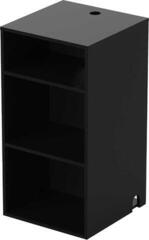
| Feature | Open furniture | Enclosed furniture |
|---|---|---|
| Airflow | Air generally has a clearer path, but you still need to maintain clearances from shelves and walls. | Ventilation depends on the openings, cabinet volume and the position of the doors or rear panel. |
| Access to connectors | The rear may be easier to access if the furniture is not positioned directly against a wall. | A fixed rear panel may restrict access; suitably positioned service or cable openings can help. |
| Dust and contact | Components are more exposed and easier to reach. | Doors may limit direct contact, but they do not guarantee complete protection from dust. |
| Remote control | There are usually fewer obstacles between the remote and the signal receiver. | The material and construction of the doors may affect operation, so check the device's requirements. |
| Cable routing | Cables are easier to connect but remain more visible. | Cables can be routed more discreetly if the openings are suitably positioned and sized. |
Neither solution is suitable for every system. An open design may make cooling and servicing easier, while an enclosed cabinet may be better suited to a space where you want to limit direct contact with the equipment. Decide according to the equipment manuals, the room layout and how the system will actually be used.
Access to connectors and cable routing
Leave space behind the devices for connectors to be inserted safely and for cables to bend naturally. An excessively sharp bend or pressure from the rear panel may strain both the cable and the socket on the device. Before positioning the furniture, note the location of the power outlet and the antenna and data connections. Cable-routing openings should accommodate not only the diameter of the cable itself but also the size of its connector.
Route power and signal cables neatly so that you can identify each one and disconnect it if necessary. Do not create bundles that block ventilation or leave their weight hanging from connectors. Also allow a service reserve: you should be able to slide the component out far enough to reach the rear panel without forcibly stretching the cables.
What to check before choosing
- Measure every component, including its feet, controls, antennas and protruding connectors.
- Check the internal shelf dimensions as well as the size of the opening through which you will insert the device.
- Compare the capacity of an individual shelf and the total load capacity with the weight of the planned system.
- Check the ventilation instructions for every device and the position of all ventilation openings.
- Plan access to rear connectors, switches and replaceable cables.
- Check that cable openings will accommodate the connectors and allow cables to bend appropriately.
- Consider the direction in which the doors open, the remote control's range and the visibility of displays.
- Check stability, the assembly method and requirements for securing the furniture.
- Leave room for cleaning and routine handling without moving the entire system.